Paycheck to Paycheck Budget Template: Plan Every Paycheck in Google Sheets
A paycheck to paycheck budget template plans your money one paycheck at a time instead of one month at a time. You list your paydays, match each bill to the paycheck that has to pay it, set money aside for things like groceries, and what is left is safe to spend until the next payday.
A monthly budget assumes all your money arrives on the 1st. If you are paid every two weeks, weekly or twice a month, it doesn’t. Rent might be due two days after a small paycheck, while the next one has almost nothing to cover. On paper the month works. In real life you run short in the first week.
Budgeting by paycheck fixes that. The steps below build a paycheck budget in Google Sheets that works for weekly, biweekly and twice-a-month pay, with a section on the quirks of a biweekly budget.
In this guide
Why Budget by Paycheck Instead of by Month
- Bills don’t wait for the end of the month. A paycheck budget shows which payday each bill comes out of, so you know if one paycheck is carrying too much.
- You see the short paycheck before it happens. When every paycheck has its own plan, a paycheck that covers rent and the car payment shows up as tight weeks in advance.
- One number is easier to follow. Instead of checking ten categories, you check what is left until payday and how much that is per day.
- It fits irregular schedules. Weekly, every two weeks and twice-a-month pay all work, because the plan follows your real paydays.
What a Paycheck Budget Template Needs
Keep it to four parts:
- Paydays: the date of each paycheck and the amount after tax.
- Bills: each bill with its amount and due day, plus which paycheck pays it.
- Envelopes: money you set aside from every paycheck for things that are not bills, such as groceries, gas or a savings goal.
- Spending: a short log of what you spend between paydays.
From those four, two numbers fall out: left to spend this paycheck and per day until payday.
How to Build a Paycheck Budget in Google Sheets
Step 1: List your paydays
Create a tab called Paychecks with these headings: Payday (A), Next payday (B), Pay (C), Bills (D), Envelopes (E) and Left (F).
Type your most recent payday in A2. For the next ones, add your pay gap to the date above:
- Every two weeks:
=A2+14in A3, copied down - Weekly:
=A2+7in A3, copied down
In B2, put =A3 and copy it down, so every row shows the payday after it. Type your usual take-home pay in column C.
If you are paid twice a month, on fixed days such as the 1st and the 15th, type the dates in column A by hand for the next few months instead.
Step 2: List your bills with a due day
Add a Bills tab with Bill (A), Amount (B), Due day (C), Next due (D) and Paid from (E). Type each bill once, with the day of the month it is due.
In D2, this formula works out the next date the bill is due:
=IF(DAY(TODAY())<=C2,DATE(YEAR(TODAY()),MONTH(TODAY()),C2),DATE(YEAR(TODAY()),MONTH(TODAY())+1,C2))
If today is on or before the due day, the bill is due this month. If not, it is due next month.
Step 3: Match each bill to the paycheck that pays it
This is the step that makes it a paycheck budget. In E2 of Bills, use LOOKUP to find the last payday on or before the due date:
=LOOKUP(D2,Paychecks!$A$2:$A$27)
Format column E as a date. Now every bill shows the payday it has to come out of. A bill due on the 3rd is paid from the paycheck before the 3rd, not the one after it.
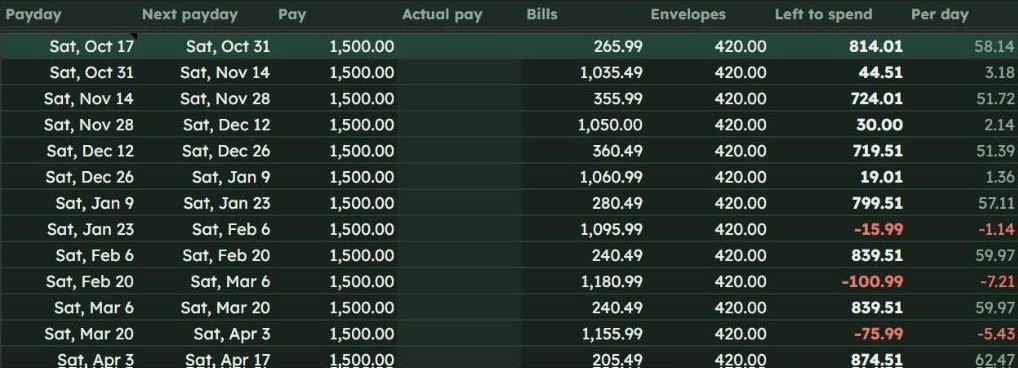
Back on Paychecks, total the bills for each payday in D2 and copy it down:
=SUMIFS(Bills!$B:$B,Bills!$E:$E,A2)
This covers each bill’s next due date, which is what you need for the paychecks coming up. To plan further ahead, add a row for each bill per month, or use a template that repeats them for you.
Step 4: Set aside envelopes from every paycheck
Bills are not the only money that is already spoken for. Add an Envelopes tab with Envelope (A) and Per paycheck (B), and list the amounts you set aside each payday: groceries, gas, eating out, an emergency fund, Christmas and so on.
On Paychecks, put =SUM(Envelopes!$B:$B) in E2 and copy it down. The left-over figure in F2 is then:
=C2-D2-E2
Any row where F is negative is a paycheck that can’t cover its bills and envelopes. You can move an envelope amount to the next paycheck, or ask whether a bill’s due date can move.
Step 5: Work out what is safe to spend until payday
Add a Spending tab with Date (A), What (B) and Amount (C) for anything you spend outside your envelopes. Then add three more columns to Paychecks, Spent (G), Safe to spend (H) and Per day (I), and fill row 2:
- Spent:
=SUMIFS(Spending!$C:$C,Spending!$A:$A,">="&A2,Spending!$A:$A,"<"&B2) - Safe to spend:
=F2-G2 - Per day:
=H2/(B2-TODAY())
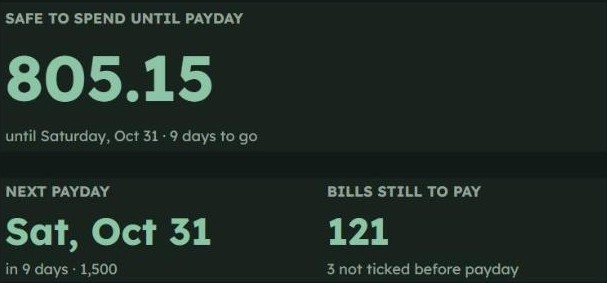
Safe to spend is your one number. Per day tells you what you can spend today and still reach payday with something left.
Step 6: Check in on payday
Every payday, look at the row for the paycheck that just landed. Tick off the bills as they leave your account, move the envelope money, and start the spending log for the new period. Ten minutes is usually enough.
Making a Biweekly Budget Template Work
Being paid every two weeks means 26 paychecks a year, not 24. Most months have two paydays, but usually two months a year have three. A biweekly budget template should plan for that.
- Plan your regular months on two paychecks. Build the normal budget as if every month has two, so the plan holds up most of the year.
- Decide in advance what the third paycheck does. Savings, a debt payment, or next year’s insurance are all good uses. Your Paychecks tab shows when those months are coming.
- Split big bills across two paychecks. If rent takes most of one paycheck, set aside half of it from each paycheck as an envelope, then pay it from the envelope when it is due.
- Watch due days near paydays. A bill due the day before payday is paid from the paycheck before that, so it can make an early-month paycheck look tighter than it is.
Weekly and Twice-a-Month Pay
The same template works for other schedules with small changes:
- Weekly: change the payday gap to 7 days. You will have 52 smaller paychecks, so envelopes are usually smaller amounts set aside more often.
- Twice a month: paydays fall on fixed dates, such as the 1st and 15th or the 15th and the last day. Bills due early in the month usually belong to the paycheck from the end of the month before.
- Monthly: a paycheck budget still helps, because it shows which bills come before payday and what is left per day.
Tips to Make It Stick
- Keep the envelope list short. Three to six envelopes is plenty to start. You can split one later if it keeps running out.
- Log only what is not in an envelope. If you track groceries as an envelope, you don’t need to log every coffee unless you want to.
- Add a small buffer. Keeping a fixed amount back from your safe-to-spend number absorbs a bill that is higher than expected.
- Missed a few days? Start again from your bank balance. Take the real balance, subtract the bills and envelope money still to come out before payday, and that is your safe-to-spend figure. No need to log everything you missed.
- Pair it with a weekly check. Our Sunday reset checklist has a slot for reviewing upcoming bills.
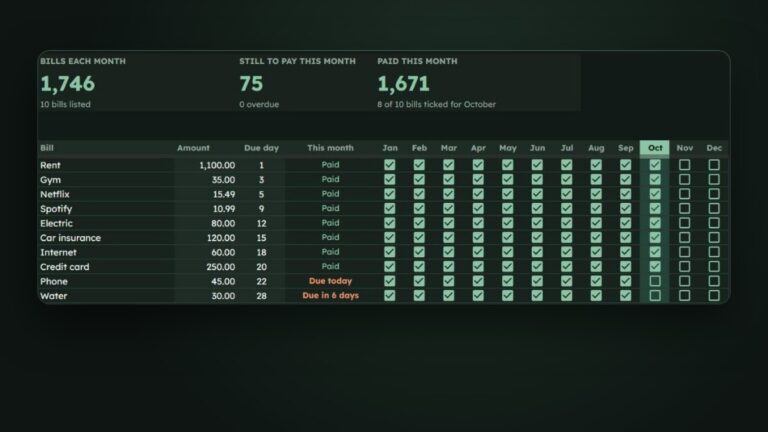
If you want to track bills on their own with a tickbox for every month, our guide to building a monthly bill tracker in Google Sheets covers that, and the monthly budget template guide covers budgeting by category.
Free Template or Ready-Made Paycheck Budget?
Everything above works in a free Google account, and building it yourself takes about an hour.
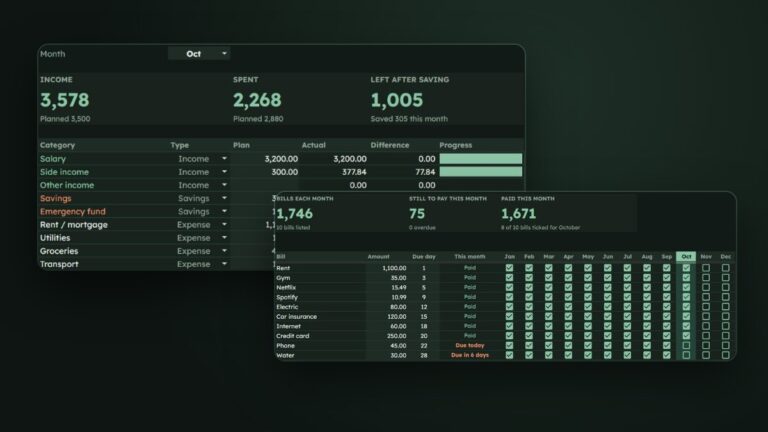
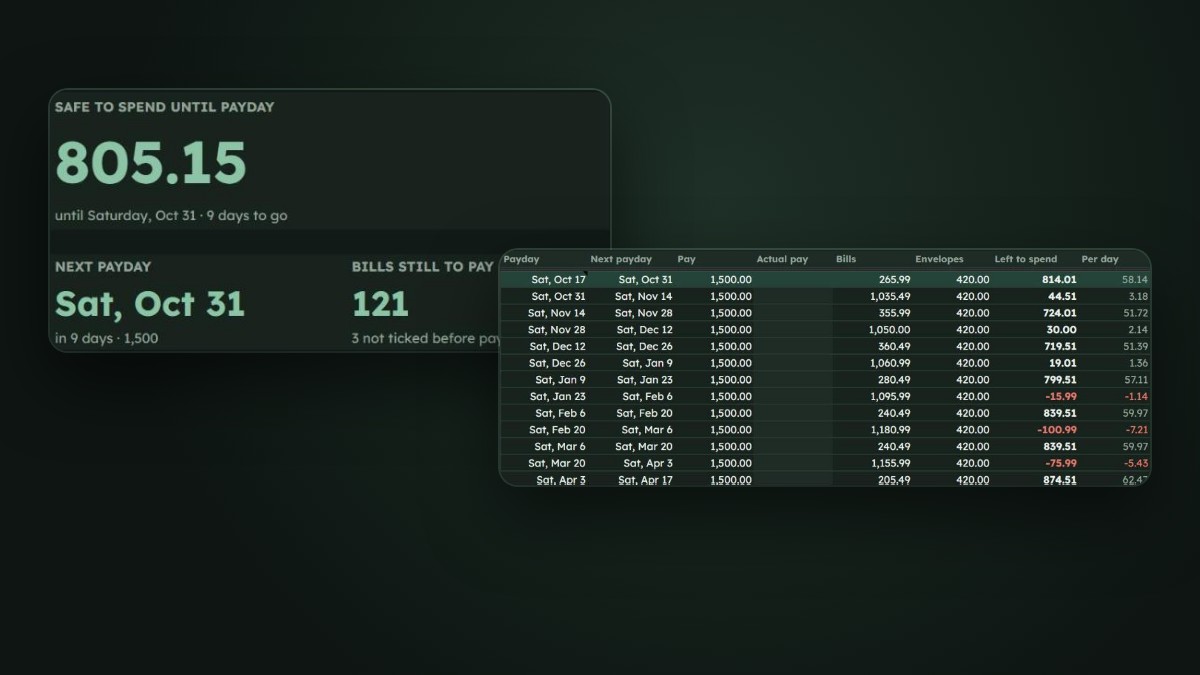
If you would rather start with it done, we made the HabitSurge Paycheck Budget for Google Sheets. It works out your paydays for weekly, every two weeks, twice a month or monthly pay, matches every bill to the paycheck that pays it for the next 26 paydays, and shows one Safe to Spend number with a per-day amount. It also has envelopes with savings goals, a “Can it fit?” check for a price you type in, and a bank balance check-in for when you have missed a few days. It comes in Dark and Light versions, has no scripts or add-ons, and works in any currency.
Frequently Asked Questions
What is a paycheck to paycheck budget?
It is a budget planned one paycheck at a time. Each paycheck is assigned the bills that are due before the next payday, plus money set aside for things like groceries and savings. What is left is what you can spend until the next paycheck.
How do I make a biweekly budget template in Google Sheets?
List your paydays two weeks apart with a formula like =A2+14, list your bills with a due day, and use LOOKUP to match each bill’s due date to the payday before it. Then total the bills for each paycheck with SUMIFS and subtract them from your pay.
What do I do with the third paycheck in a biweekly month?
Plan your normal budget on two paychecks a month, so the third paycheck has no bills assigned to it. Most people use it for savings, extra debt payments or bills that come once a year.
Which paycheck should pay rent?
The paycheck that arrives before the due date. If that leaves one paycheck too tight, set aside half of the rent from each paycheck as an envelope and pay it from there.
Does a paycheck budget work if my pay changes?
Yes. Type the actual amount for each paycheck when you know it. The left-over and safe-to-spend figures update for that paycheck only.
References
- Google Docs Editors Help, LOOKUP
- Google Docs Editors Help, SUMIFS function
- Google Docs Editors Help, IF function